
Depthkit error creating shader from source
8 posts · 716 views
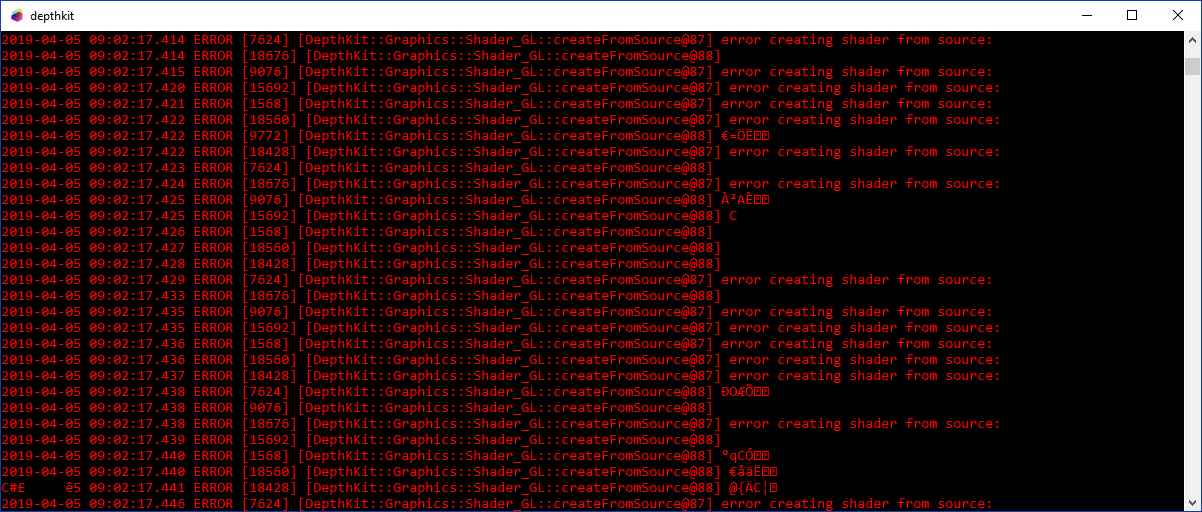
Hi Florent! Would you mind sharing your computer specifications including your graphics card? This will give us an idea of what is causing the issue.
Hello, I am using a HP Zbook 17 G2 with a NVIDIA Quadro K4100M.
Thanks, Florent! We have this logged as a bug and hope to have this solved very soon. Would you also mind sharing your processor and ram specs, which can be found by going to your Windows settings, clicking on System and then About, as seen below? Feel free to share at support@depthkit.tv if preferred.
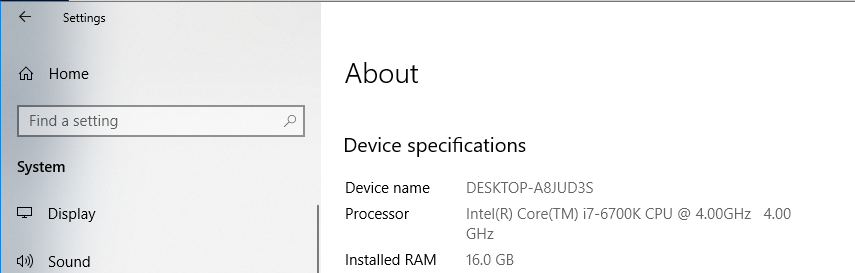
Hello, you will find below this information.
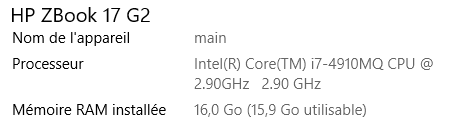
Thanks so much for your patience here. While we sort out this error, I recommend updating any Nvidia drivers that may need updating. A Windows system update may help as well. Let me know how that goes!
Hello, my graphic card is up to date.
Thank you for checking that! We’ve passed this along to our development team and will keep you posted with next steps. Thank you so much for your understanding as we solve this issue.