
Femto Bolt installation issues
6 posts · 119 views
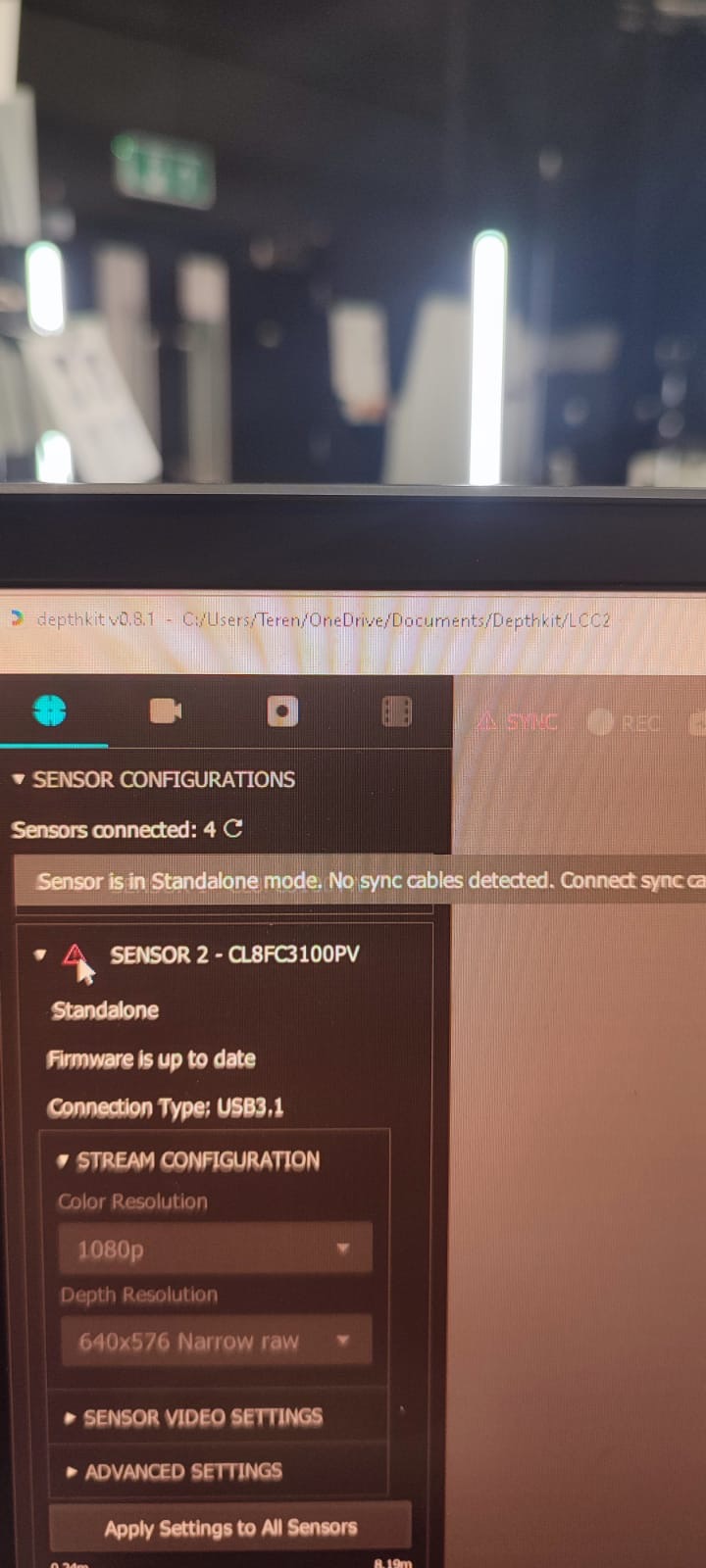
@Terence Assuming the sync cables are arranged properly in the sync hub with one connected to Primary. and the others connected to Secondary, I have seen this occur occasionally when one or more of the sensors boot into an abnormal state. In this case, I recommend the following to restart them:
- disconnect the sensors from the USB ports of the computer (to eliminate bus power)
- remove power from the sensors to fully shut them off
- wait 10 seconds to discharge any residual power in the sensors
- reconnect them to power to allow them to boot into a normal state
- Once you see a solid white light on the front of the sensors to indicate that they have fully booted, reconnect them, one-by-one, to the USB ports of the computer, leaving enough time in between each sensor to establish the connection with the PC
Thanks Cory
Kind regards,
Terry
Hi Cory.
Are you familiar with:
Is this a potential silver bullet to resolve cable 3.1 to 2.0 connection issues and work around reporting random sensors as standalone?
Thanks
Terry
@Terence - Yes, we are internally discussing updating the Orbbec SDK within Depthkit to a more recent version, which would make some of the features of newer firmware available, like automatically resetting sensors upon detection of an invalid connection. We’ll keep you posted on any updates relating to this.
Thanks Cory
Kind regards,
Terry