
I set up a Unity project with Depthkit Core and Depthkit Studio packages. Afterwards, i followed the steps to import my own footage and create my own clip with a prefab that comes with the Studio samples. The issue is that get 2 errors when importing the prefab into the scene 🙂 IndexOutOfRange and ArgumentException. Does anyone know why those error occurs? I can provide a screenshot of both errors.
“IndexOutOfRangeException” error
13 posts · 1119 views
Hi, @DavidDuguay . Screenshots of the whole Unity window, including the console with the full error messages, the inspector with the Depthkit clip settings, and the Package Manager listing all of the plugins that are in that Unity project are helpful for diagnosing these errors.
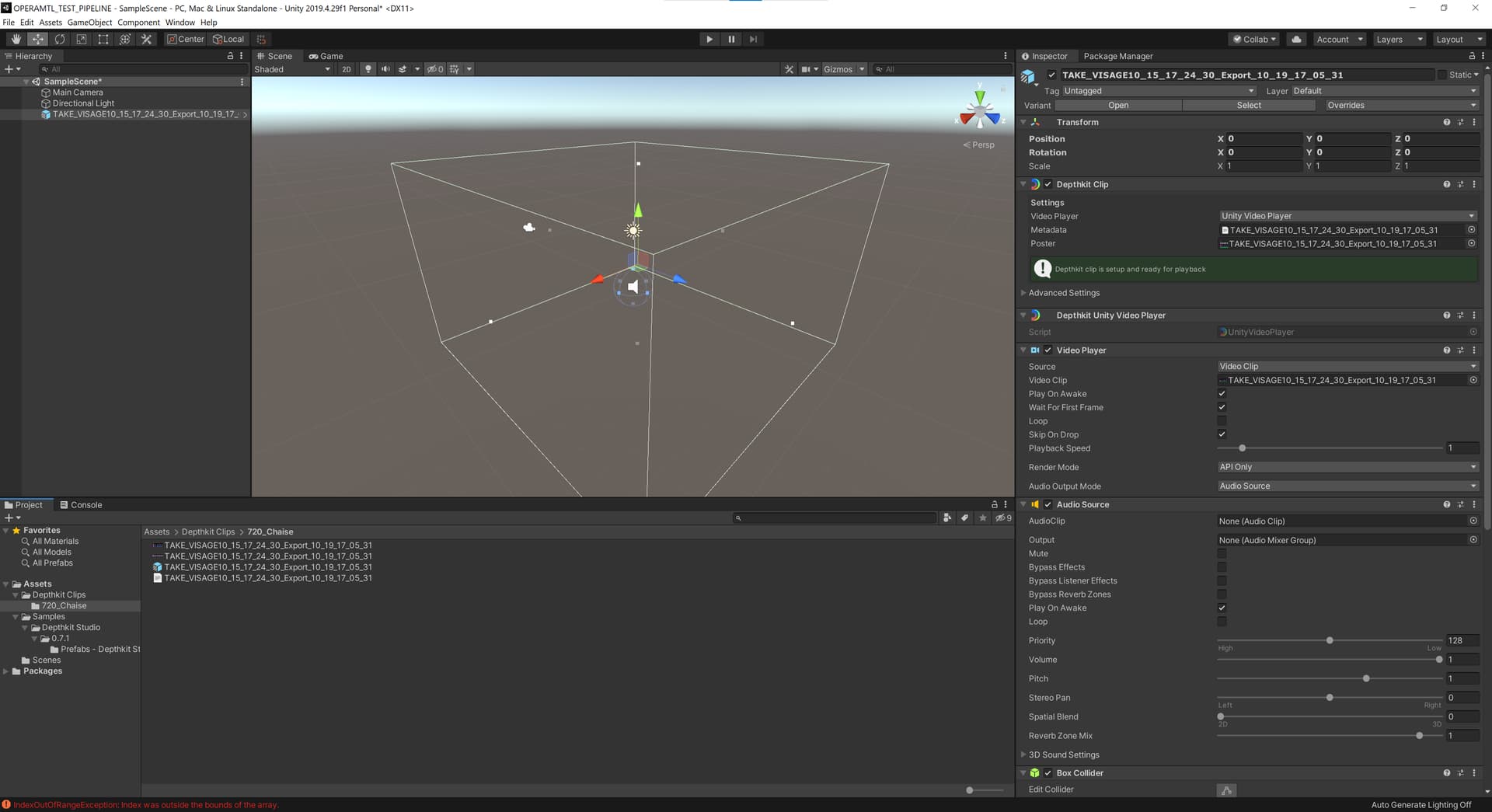
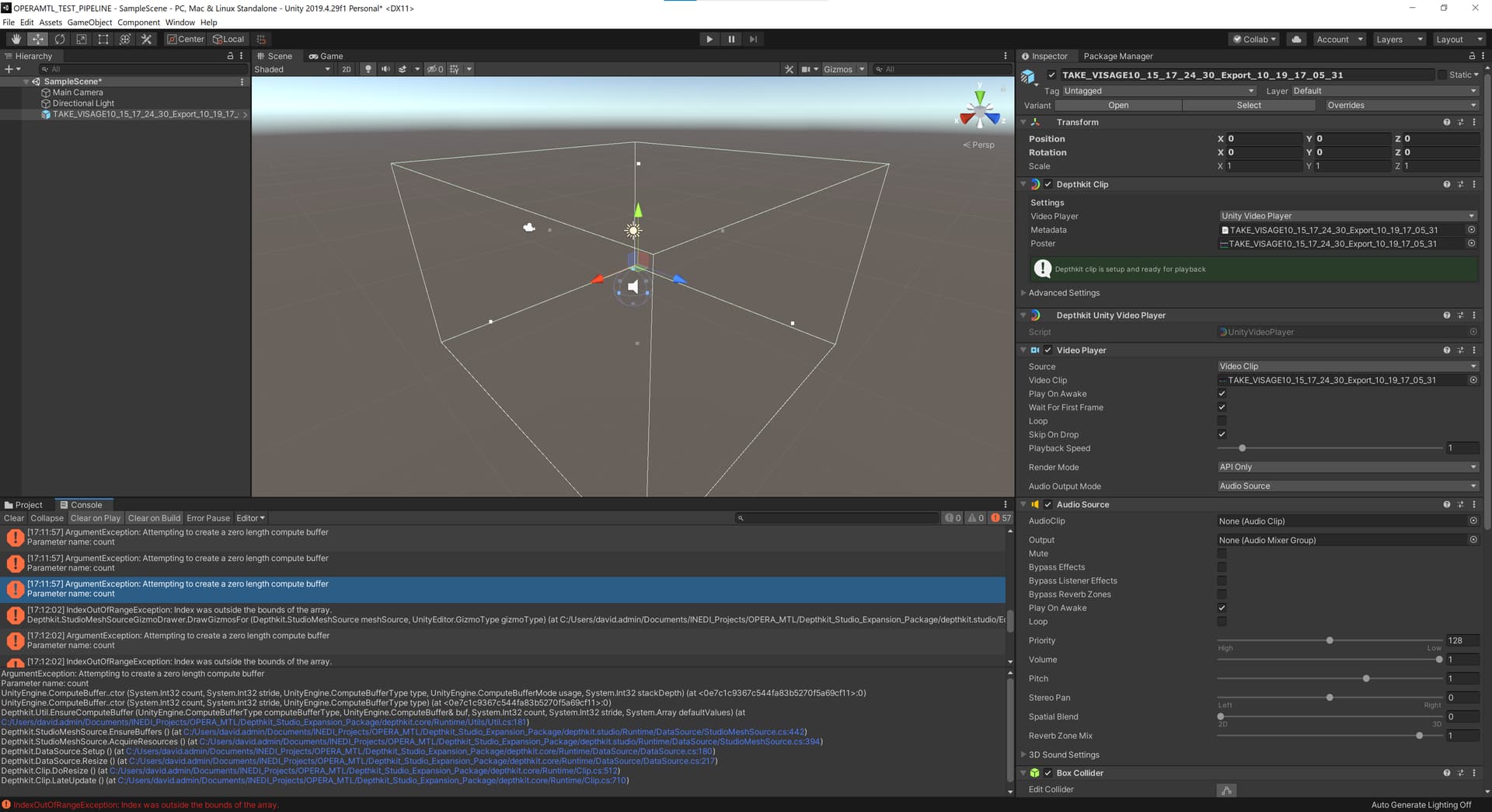
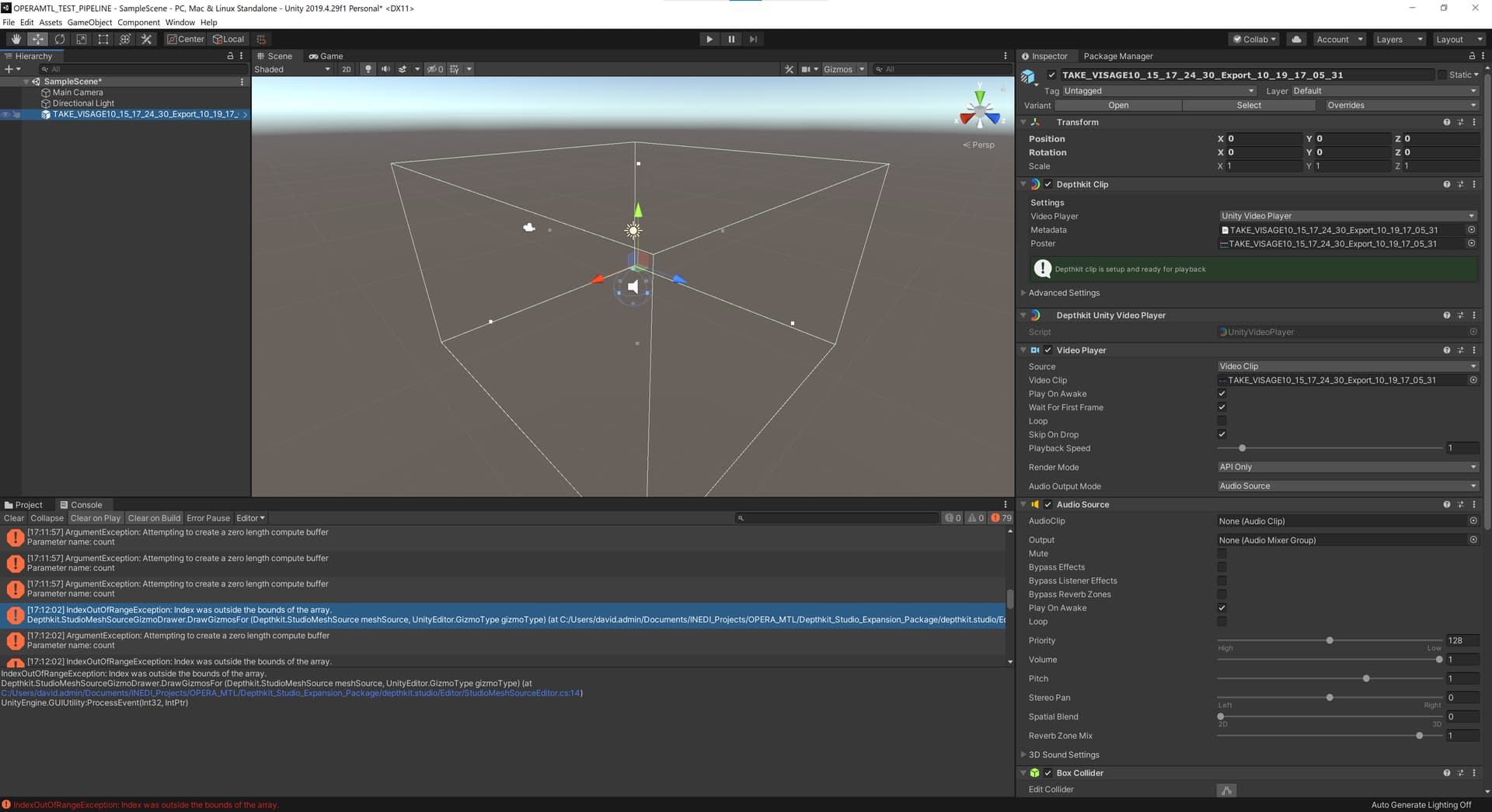
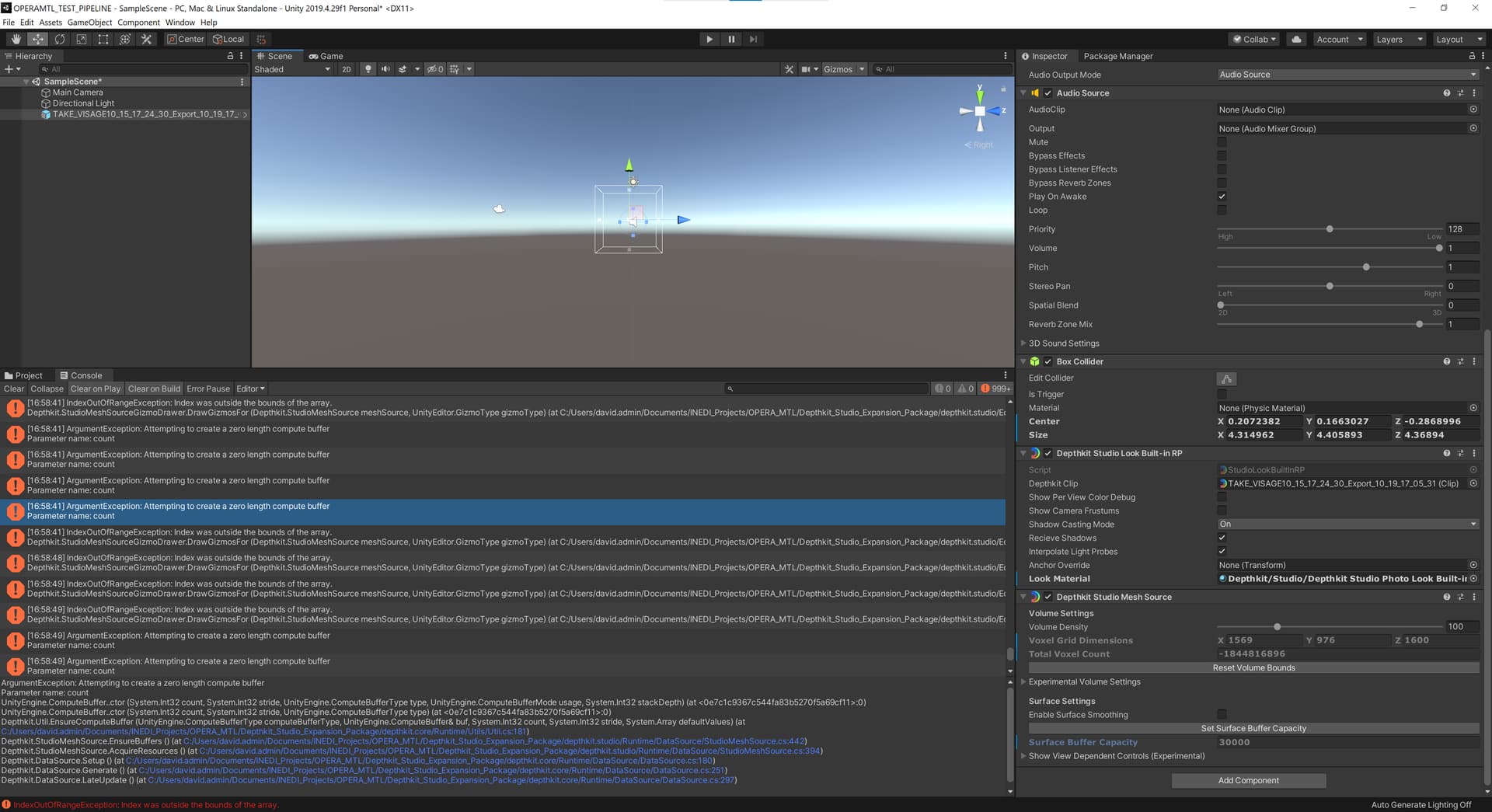
@DavidDuguay It looks like the size and density of the volume are filling up a buffer in the pipeline, causing the render to fail.
Try pulling in the volume bounds, outlined in white in the 3D Scene view, by grabbing the handles at the center of each face and moving them inward.
You can also reduce the Volume Density slider found in the Depthkit Studio Mesh Source component of the clip.
After changing either of the above, be sure to click the “Set Surface Buffer Capacity” button to allocate the appropriate resources to the new volume size/density.
Hi @DavidDuguay
The “Set Surface Buffer” Capacity button samples the current frame’s geometry to determine the correct surface buffer size for your clip- so you’ll want to hit it only when you have a figure showing in the preview. From the look of your screenshot, the Depthkit clip may not be set up yet.
I followed the setup steps from the documentation to set the clip with the Video Player file, the metadata file as well as the poster image (see first screenshot in this thread). Can you see or point me at what I could be missing? Could we arrange a one on one meeting in january?
Hi @DavidDuguay
Can you post a screenshot of your Depthkit Clip set up? I attached an example of what mine looks like. You’ll notice the green indicator in the Editor saying the clip is setup and ready for playback. If you start from scratch and record a screen recording of the error, that is also helpful for debugging.
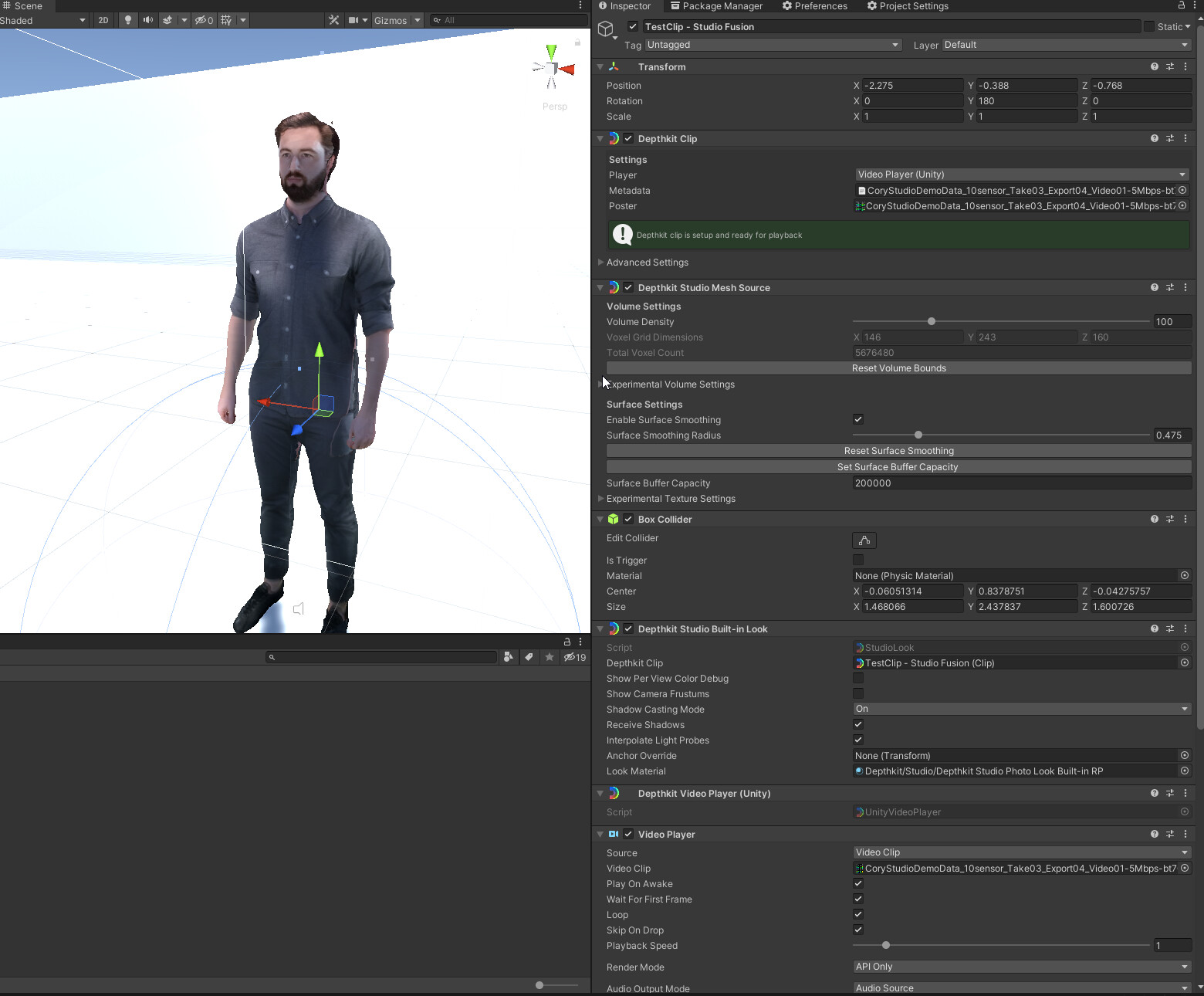
For 1 on 1 priority support, please reach out to support@depthkit.tv and we can discuss. Thanks!
I tried starting a new Unity (2020) project with the latest version and documentation of Depthkit, and i was able to get a result by pulling the bounds inwards as you suggested (see screenshot attached)
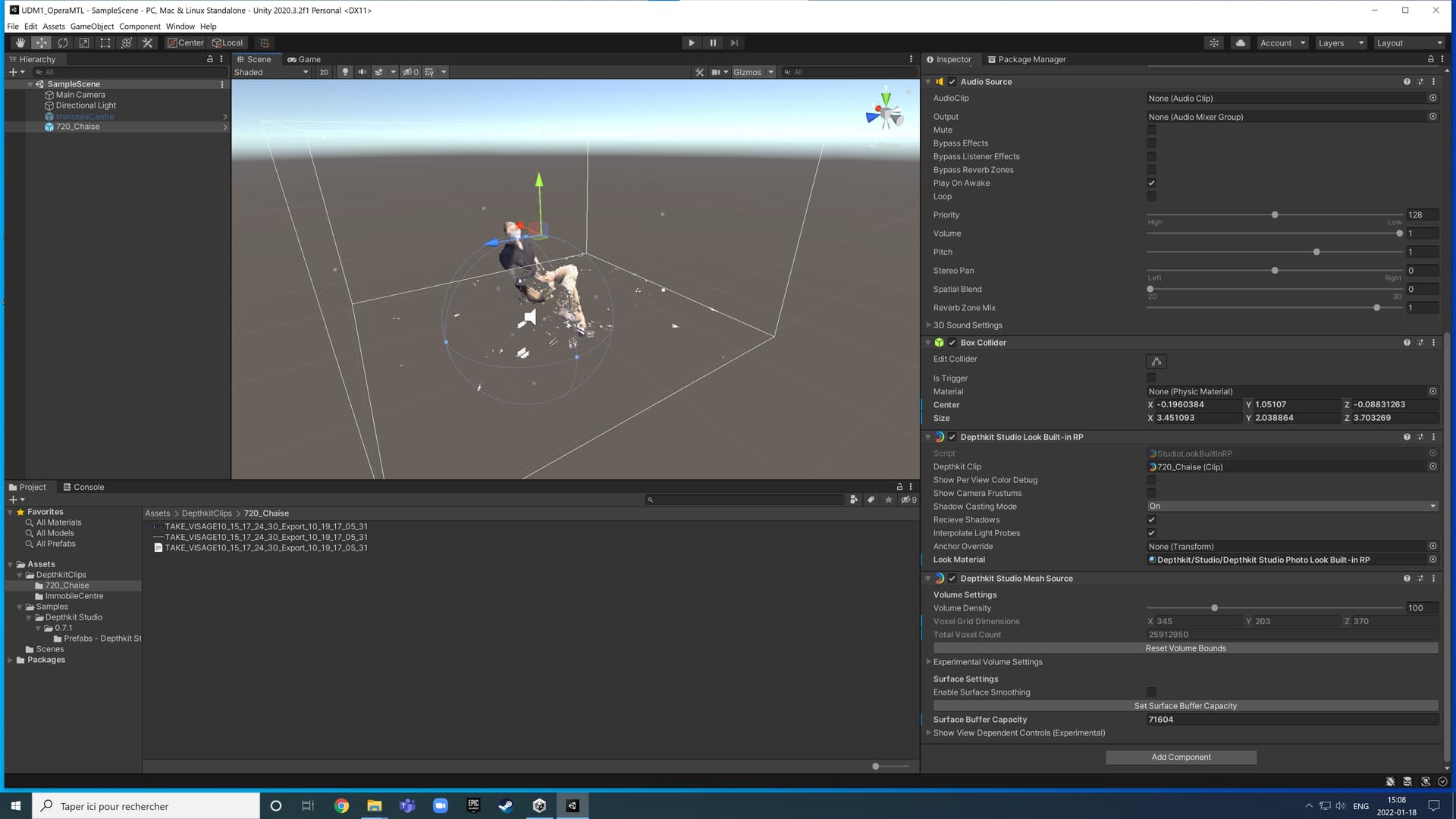
I tried with another volumetric capture though and it didn’t seem to work. It may be due to some changes within our captation technique and/or parameters since our main project got corrupted while exporting. We will try new captation tests in a near future, i’ll post another question if we encounter new errors.
Thx
Bumping this thread with some more links because folks are hitting this issue quite frequently.
In Unity, if you get IndexOutOfRangeException: Index was outside of the bounds of the array like the screenshot below when loading Depthkit Studio clips, check the following steps for a resolution.

The error is usually coming from your volume bounds being too large. Follow this guide on tightening the bounds around the subject.
If you need to have large bounds to include the full subject and room in the capture, or you are not doing an outside-in camera configuration, use the Studio Lite renderer as opposed to the standard Studio renderer
Additionally, often users have not brought in the far clipping planes on their captures before export. Follow this guide and re-export your asset.
Not pulling in the planes for a leads to large bounds by default which contributes to this error showing up. It also means that the depth precision will be lost because the depth range is spread thin over such a wide spectrum.
Hope this helps a few folks out there! Future version of our Unity plug in will do more to resolve and/or clarify this issue.
@DavidDuguay - A quick update to this thread: One of the features found in Depthkit v0.7.0 is setting the bounding box right in the Depthkit Editor, which avoids this index out of bounds issue altogether.
You can read more about some more of the new features in our latest blog post, and find more info in the announcement for the new update.