@Terence - Is that to say you have exported a Draco streaming geometry sequence (with the WebXR preset applied at export) from Depthkit, and are trying to host it on Cloudflare and render it using one of the Depthkit 8th Wall templates?
I am unfamiliar with Cloudflare’s CDN products specifically, but it looks like their R2 product is comparable to Amazon/AWS’s S3 product used in the tutorial. I assume the same principles covered in our tutorial apply to Cloudflare R2 as well (bucket permissions, CORS settings, object settings, etc.), but there may be some differences in how these principles are applied compared to S3.
Please list out the specific steps you have performed to:
- set up the CDN bucket
- upload the assets to that bucket
- how you have located the object URL’s once the asset is in the cloud
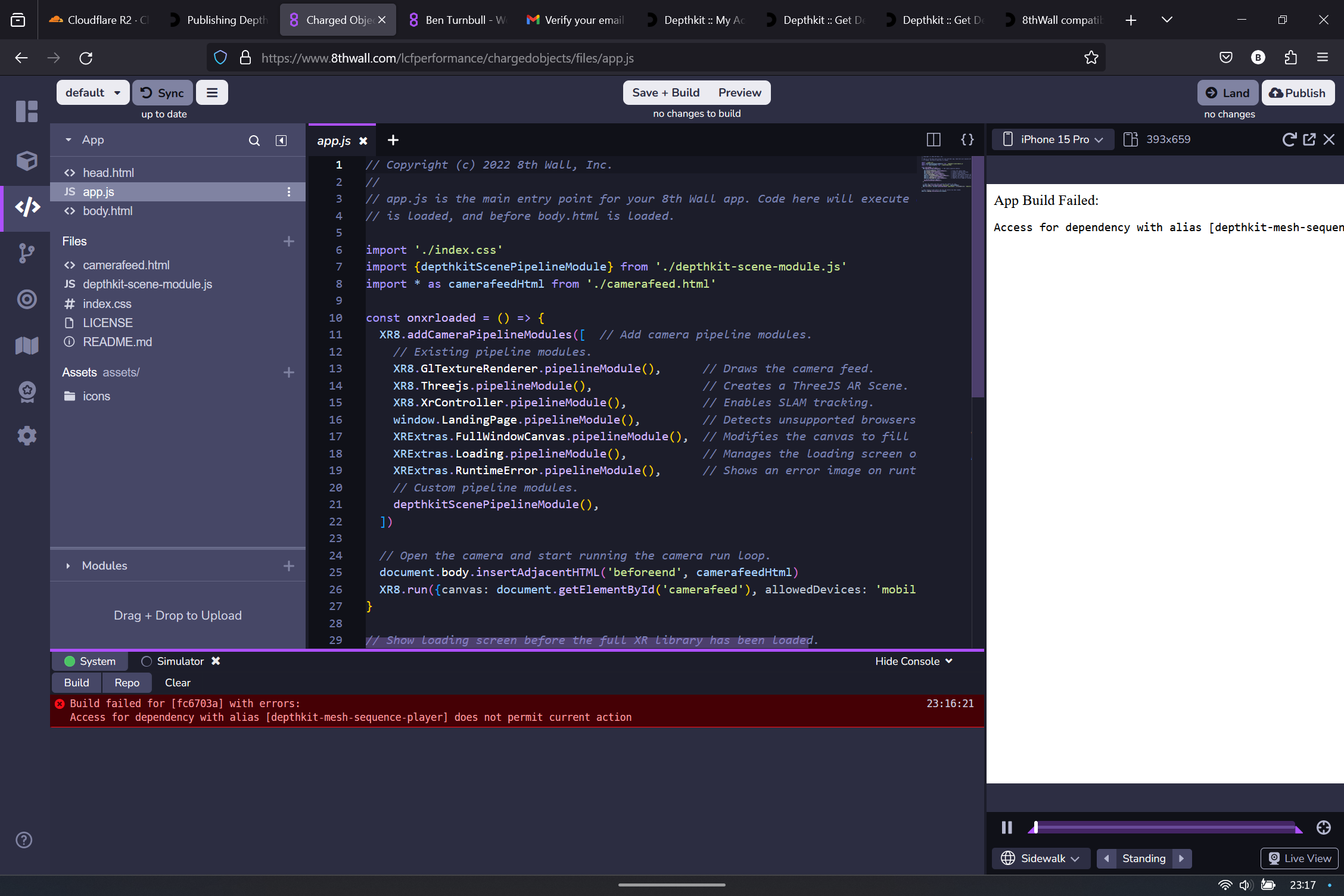
Additionally, please provide the exact error you are seeing when attempting to load the assets in the 8th Wall template.
Though hosting on Cloudflare is out of scope of our tutorial, our team or someone else here on the forums may see where the issue lies based on the steps you took to set this up.
Are you able to upload the same asset to S3 to confirm that it works when hosted there?
I do not think Pro license is needed to do the kind of testing you are doing, but the folks over on 8th Wall’s support forums will know better than I do.