Hey @Max,
I’ve was able to replicate these compiler errors, and have a fix for you. It you take a look at our documentation, there is a step to enable the AVPro timeline components extension, and this is also called out in the AVPro documentation on the subject:
Installing
This is an extension as it requires the optional Timeline package from the Package Manager, so it requires some setup the first time you use it:
- Add the Timeline package to your project from the Package Manager.
- Add the Timeline package assembly
Unity.Timeline to the _AVProVideo.Extensions.Timeline assembly definition references.
- Add
AVPRO_PACKAGE_TIMELINE to your player Preprocessor Defines to enable the scripts to be compiled.
It’s easy to miss this step, in fact I missed it too when creating a project to reproduce this issue in, which ended up being exactly what I needed to replicate it. After following these steps the compilation errors are resolved.
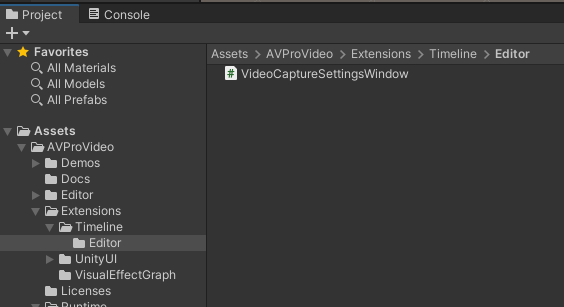
For step 2, find the .asmdef file in the project folder:
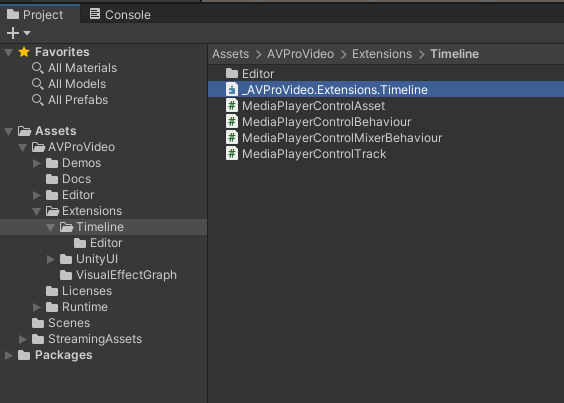
Edit that file and add a line for "Unity.Timeline" within the "references" array. The file should look like this:
{
    "name": "AVProVideo.Extensions.Timeline",
    "references": [
        "AVProVideo.Runtime",
        "Unity.Timeline"
    ],
    "includePlatforms": [],
    "excludePlatforms": []
}
For step 3, go to Project Settings → Player → Other Settings and find Scripting Define Symbols, then add an item and paste in AVPRO_PACKAGE_TIMELINE:

Let me know how it goes after you get this part resolved.