Hi Depthkit Team,
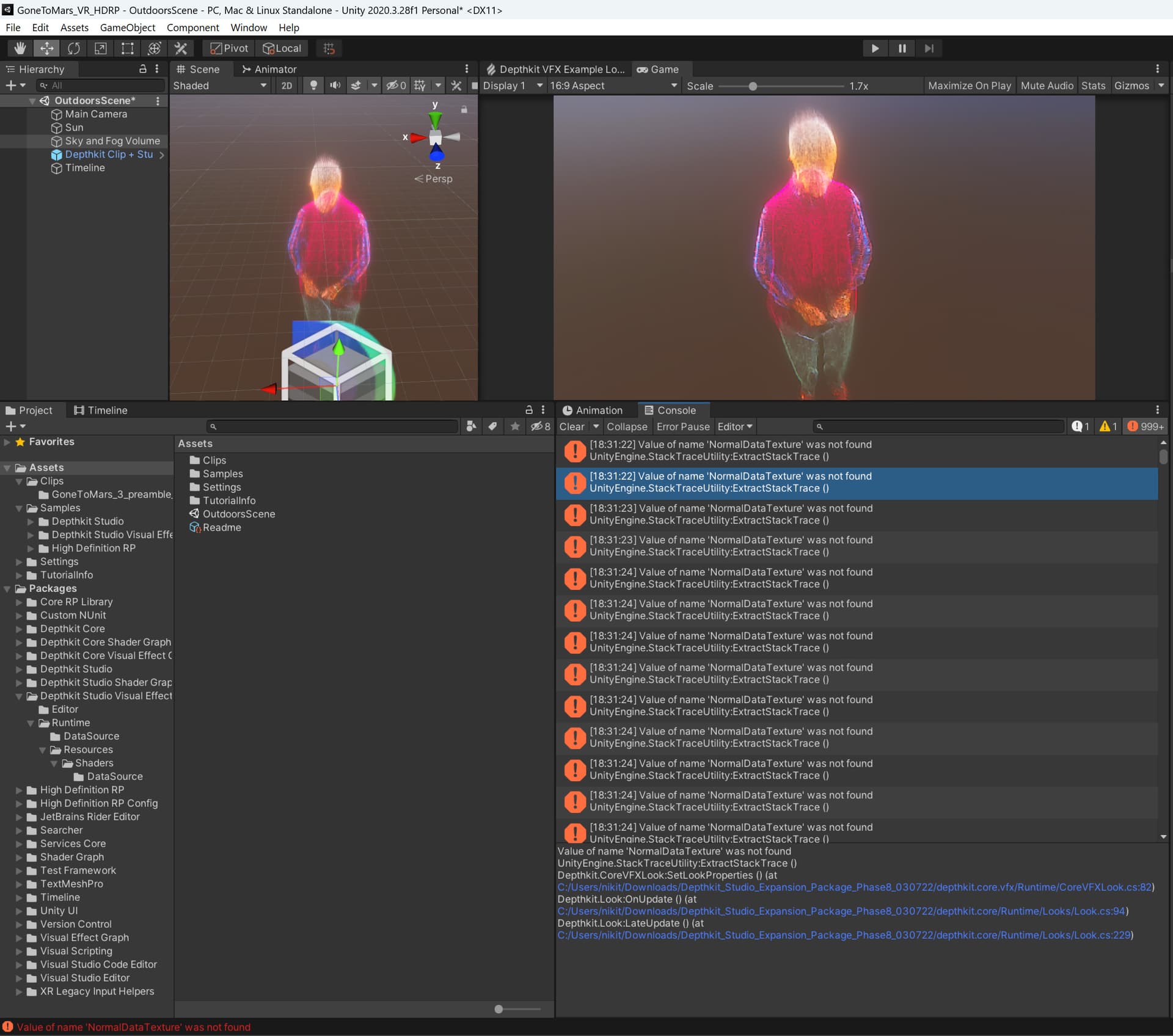
Using Unity HDRP and Depthkit Studio VFX, I’m constantly getting this error. It is able to play the clip, and while playing, it’s the same error, probably every frame.
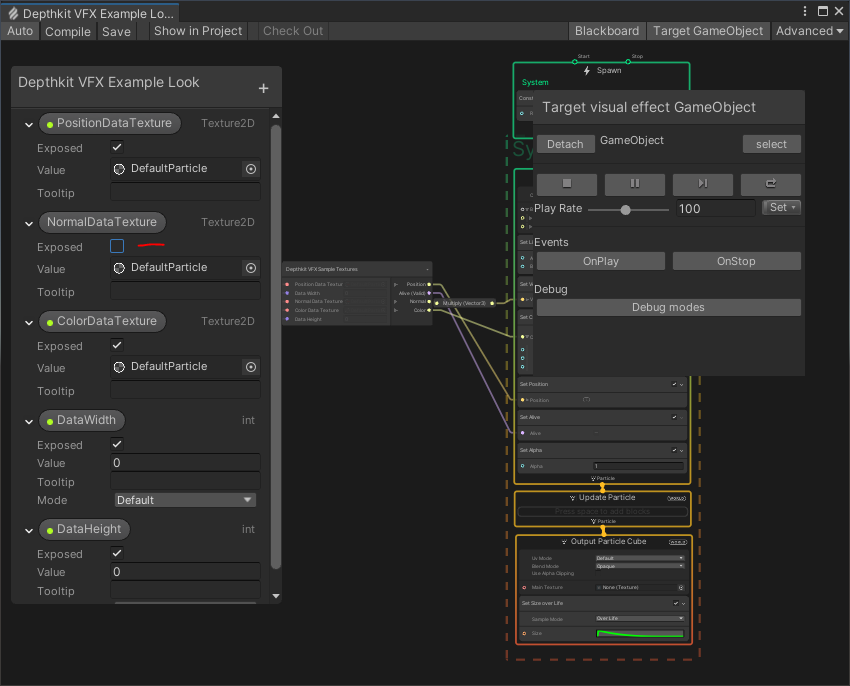
Value of name 'NormalDataTexture' was not found
UnityEngine.StackTraceUtility:ExtractStackTrace ()
Depthkit.CoreVFXLook:SetLookProperties () (at C:/Users/nikit/Downloads/Depthkit_Studio_Expansion_Package_Phase8_030722/depthkit.core.vfx/Runtime/CoreVFXLook.cs:82)
Depthkit.Look:OnUpdate () (at C:/Users/nikit/Downloads/Depthkit_Studio_Expansion_Package_Phase8_030722/depthkit.core/Runtime/Looks/Look.cs:94)
Depthkit.Look:LateUpdate () (at C:/Users/nikit/Downloads/Depthkit_Studio_Expansion_Package_Phase8_030722/depthkit.core/Runtime/Looks/Look.cs:229)
Just in case, I also have a single yellow warning:
Shader warning in 'CopyStudioMeshToTextures': pow(f, e) will not work for negative f, use abs(f) or conditionally handle negative values if you expect them at kernel CopyStudioMeshToTextures16x16 at C:/Users/nikit/Downloads/Depthkit_Studio_Expansion_Package_Phase8_030722/depthkit.studio/Runtime/Resources/Shaders/Includes/DepthkitStudio.cginc(51) (on d3d11)
If they are not connected, disregard the warning, but I’d like to fix the error. If you have an idea on how to fix it, it would be great. Thank you.