
Hello , I integrated in Unity for oculus but video clip is looking awful . Can we improve it ? or it’s happening due to video clip . I got this clip from demo . If anyone have any clip please share so that i can test . We want to manage 72 fps as well as video quality good. When clip is playing fps is getting down on Volume Density 100 … On 50 it is ok in empty scene …
Ref Video:
[RESOLVED] Video clip quality in oculus Quest 2?
6 posts · 509 views
@RamkeshSingh It looks like you’re using this sample Core asset with a Depthkit Studio look. If you remove the Depthkit Studio Mesh Source and Look components, and replace them Core versions, the asset should render properly and be more performant. Let us know if this fixes the issue.
@CoryAllen Thank you for reply . As i understood i made changes but volumetric video is not playing now . Here is ref image . I am using URP render pipeline .
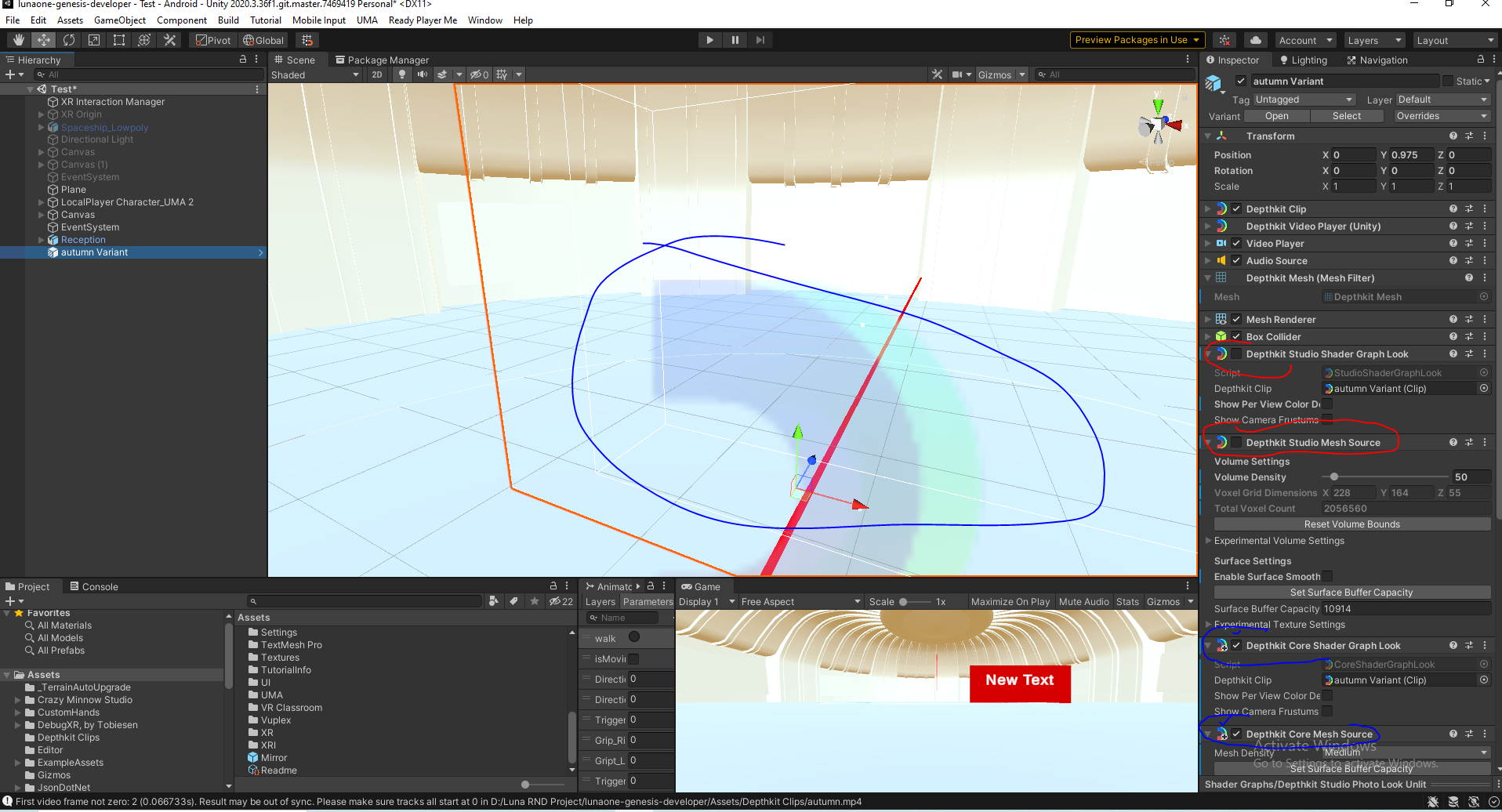
I also tried from prefab of core but no video play . I followed Unity oculus integration doc . Here is ref video :2022-10-31 13-26-35.mkv - Google Drive
@RamkeshSingh In the screenshot, the object contains a Depthkit Core Shader Graph Look, but in the the screen recording, it contains a Depthkit Core Built-In Look - Only the Shader Graph look is compatible with URP.
If you’re still having trouble, start fresh by importing the prefab found in the Depthkit Core Shader Graph plugin in the package manager, add an instance or variant of it to your scene, and connecting the video, poster, and metadata to the appropriate fields in it.
@CoryAllen Thanks . Now it’s lot better then previous one .
Now i am using AvPro . Locally it’s working fine . I will check with remote .
@RamkeshSingh, nice work! Let us know if you have any other questions.